Ships Between 4 to 7 Days
Order before 15:00 to expedite shipping
Secure Payments
Secured by OZOW and Paystack
Free Shipping for orders above R3000
We will ship your order for free to anywhere in SA - Our Gift to you!
Order before 15:00 to expedite shipping
Secured by OZOW and Paystack
We will ship your order for free to anywhere in SA - Our Gift to you!
Choosing the right VIOFO SD card is essential for ensuring reliable recording and getting the most out of your dash cam’s features, especially for multi-channel models.

Choosing the right SD card for your VIOFO dash cam is crucial to ensure you never miss critical footage. Many users underestimate how quickly storage fills up – especially with multi-channel systems recording in 4K. This guide explains exactly how long different SD card sizes last across VIOFO’s single, dual and triple-channel dash cams, including important notes about 512GB card compatibility.
The wrong SD card will corrupt your footage, fail in heat, or fill up before you finish your commute. This guide gives you exact recording times for every VIOFO dash cam model and helps you choose the right capacity the first time.
Number of cameras (1, 2 or 3 channels recording simultaneously)
Video resolution & bitrate (4K uses 4x more space than 1080p)
SD card capacity (From 32GB to 512GB options)
Parking mode usage (Adds extra event files)
| SD Card Size | 1080p 30fps | 1440p 60fps | 4K 30fps |
|---|---|---|---|
| 32GB | ~4 hours | ~3 hours | ~2 hours |
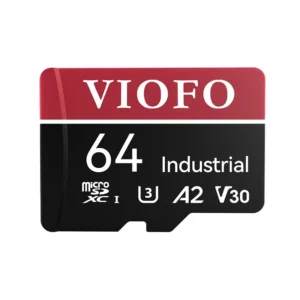
| 64GB | ~8 hours | ~6 hours | ~4 hours |
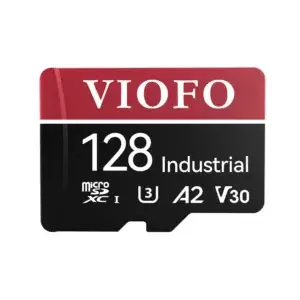
| 128GB | ~16 hours | ~12 hours | ~8 hours |
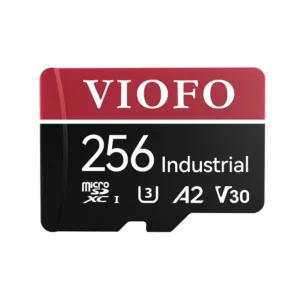
| 256GB | ~32 hours | ~24 hours | ~16 hours |
| 512GB | ~64 hours | ~48 hours | ~32 hours |
Notes for single-channel:
512GB cards work but must be formatted as exFAT
Best for basic front-view recording needs
*Front (4K) + Rear (1080p) recording:*
| SD Card Size | Estimated Total Recording Time |
|---|---|
| 64GB | ~3-4 hours |
| 128GB | ~6-8 hours |
| 256GB | ~12-16 hours |
| 512GB | ~24-32 hours |
Why 512GB matters:
Provides 24+ hours of continuous dual recording
Essential for rideshare drivers needing extended coverage
Must use VIOFO’s recommended formatting tool
*Front (4K) + Interior (2K) + Rear (2K):*
| SD Card Size | Estimated Total Recording Time |
|---|---|
| 128GB | ~4-5 hours |
| 256GB | ~8-10 hours |
| 512GB | ~16-20 hours |
Critical 512GB notes:
Only some VIOFO models support 512GB (check compatibility first)
Required for professional/commercial 3-channel use
Format as exFAT before first use
Basic commuters: 128GB (single-channel)
Rideshare/taxi drivers: 256GB-512GB (dual-channel)
Fleet/trucking: 512GB (triple-channel with parking mode)
Extended parking: 256GB+ (low-bitrate recording)
| Capacity | Recommended Models |
|---|---|
| 128GB | SanDisk High Endurance, Samsung Pro Endurance |
| 256GB | Lexar 633x, Kingston Canvas Go! Plus |
| 512GB | SanDisk Extreme, Samsung EVO Select (formatted as exFAT) |
Pro Tip: Always purchase from authorized retailers to avoid counterfeit cards that fail prematurely.
Event-only recording: 256GB can store ~72 hours of parking incidents
Low-bitrate continuous: 512GB provides ~5 days of 24/7 coverage
Time-lapse mode: Most storage-efficient option (512GB lasts 7+ days)
Q: Which VIOFO models officially support 512GB?
A: Most 2023+ models (A229 Pro, A329, etc.) – check your manual
Q: Why does my 512GB card only show 480GB?
A: Normal formatting overhead (7% is reserved for system files)
Q: How often should I replace a 512GB card?
A: Every 2-3 years with heavy use (fewer write cycles than smaller cards)
Q: Can I use the same 512GB card in different VIOFO cams?
A: Yes, but reformat when switching between models
For optimal performance:
Single-channel users: 128GB-256GB
Dual-channel users: 256GB-512GB
Triple-channel users: 512GB essential
Remember: Higher capacity cards provide longer recording times but require proper formatting and maintenance. Always test new cards for at least 48 hours before relying on them for critical recordings.
A: With loop recording enabled, your VIOFO dash cam automatically overwrites the oldest non-protected footage. Event files triggered by the G-sensor are locked and preserved until you manually delete them.
A: No. Regular SD cards are not built for constant read/write cycles. Always use high-endurance or industrial-grade cards designed for dash cams and security cameras.
A: Format the card inside the dash cam settings menu for optimal compatibility. For 512GB cards, format as exFAT using your computer or VIOFO’s formatting tool before first use.