Ships Between 4 to 7 Days
Order before 15:00 to expedite shipping
Secure Payments
Secured by OZOW and Paystack
Free Shipping for orders above R3000
We will ship your order for free to anywhere in SA - Our Gift to you!
Order before 15:00 to expedite shipping
Secured by OZOW and Paystack
We will ship your order for free to anywhere in SA - Our Gift to you!
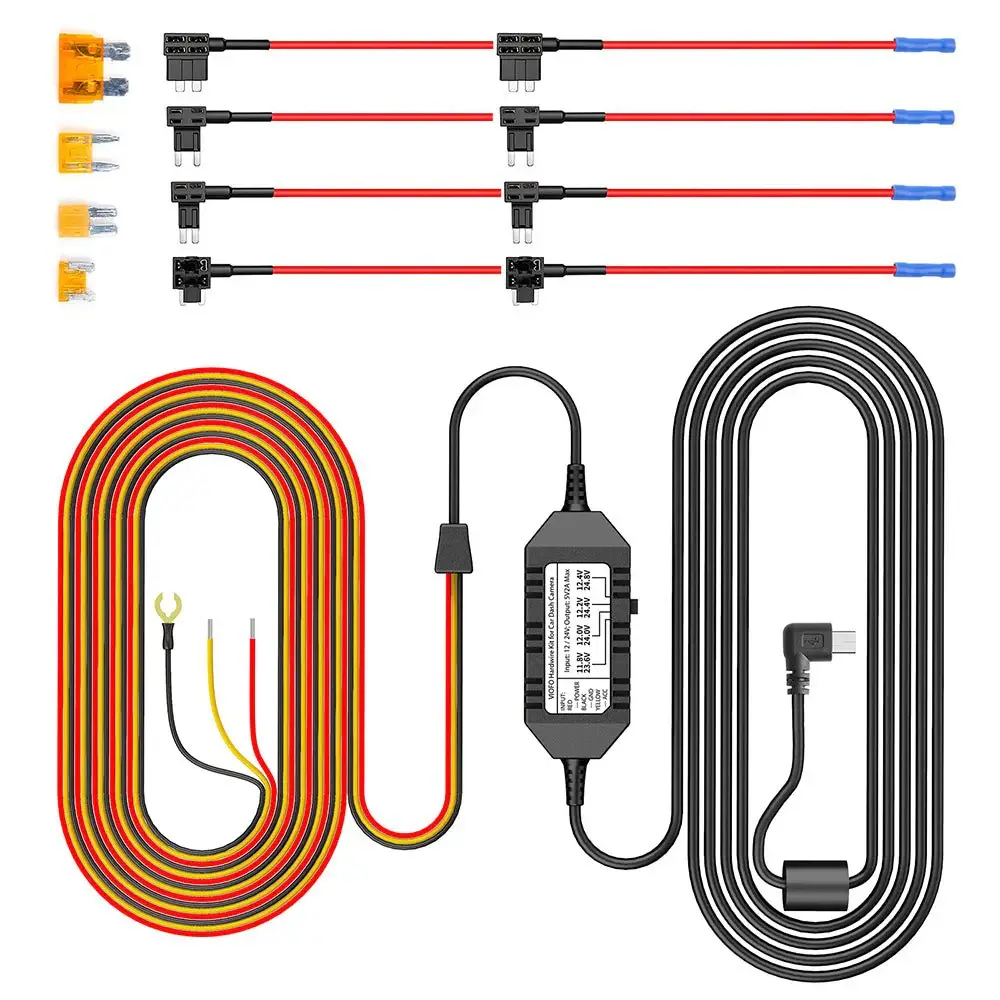
R277.15 Incl, Vat
For
This hardware kit will ONLY work on Viofo Products,
Kindly attach your Viofo camera serial number to the order to verify
The Car Dashcam Store is an official Sub Sahara Africa distributor of the Viofo product line. Beware of unauthorized or grey-market third-party sellers!
Contact Us
4 - 7 Business Days
Payments are handled via our payment partners, we do not store any credit card details on our website.


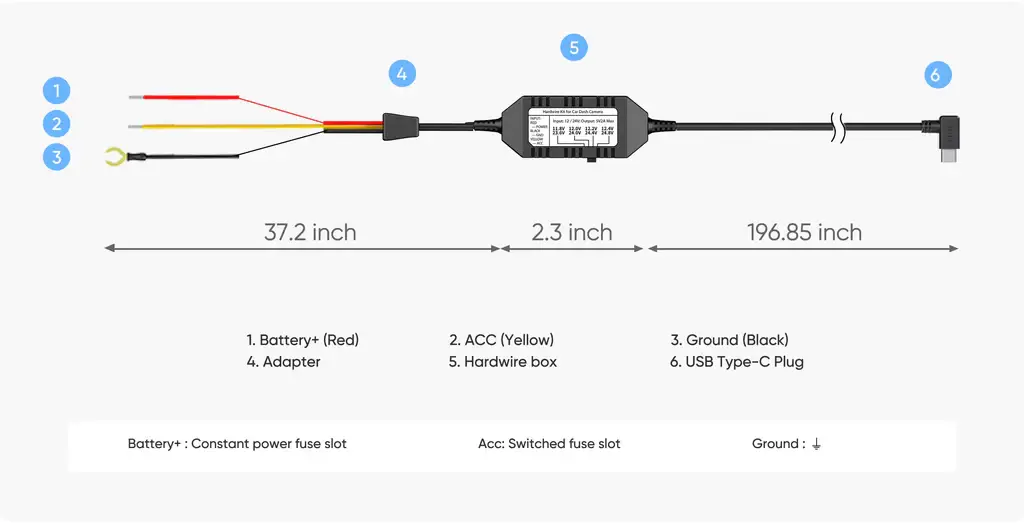
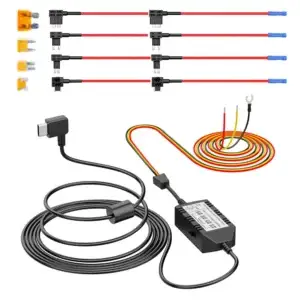
The hardwire kit provides continuous power to your dash cam via the fuse box (VCC, ACC, GND), replacing the need for a cigarette lighter and ensuring seamless coverage from the moment you start driving.

Even when parked, the hardwire kit keeps your dash cam running by tapping into your vehicle’s fuse box. It captures every important moment and automatically powers down before draining your car battery.
With ACC detection, the dash cam seamlessly enters parking mode when the vehicle’s engine is turned off and resumes normal recording once the vehicle is started.
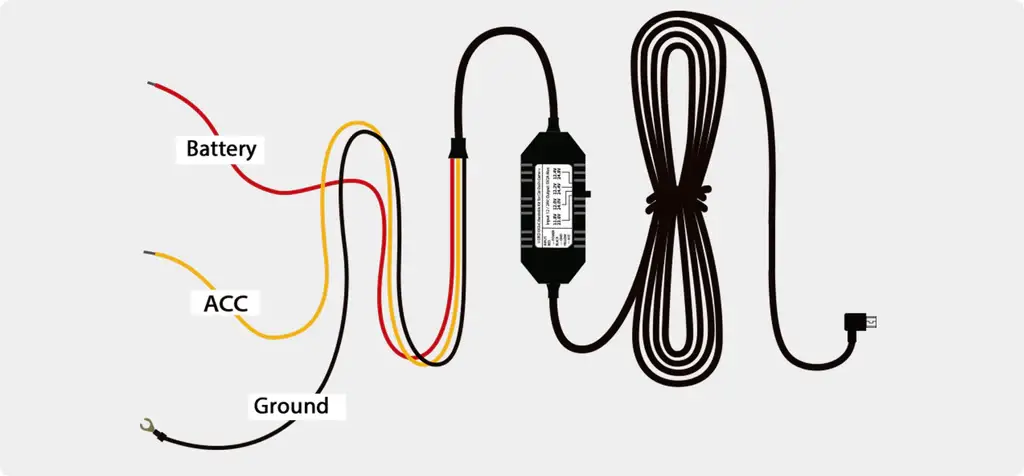
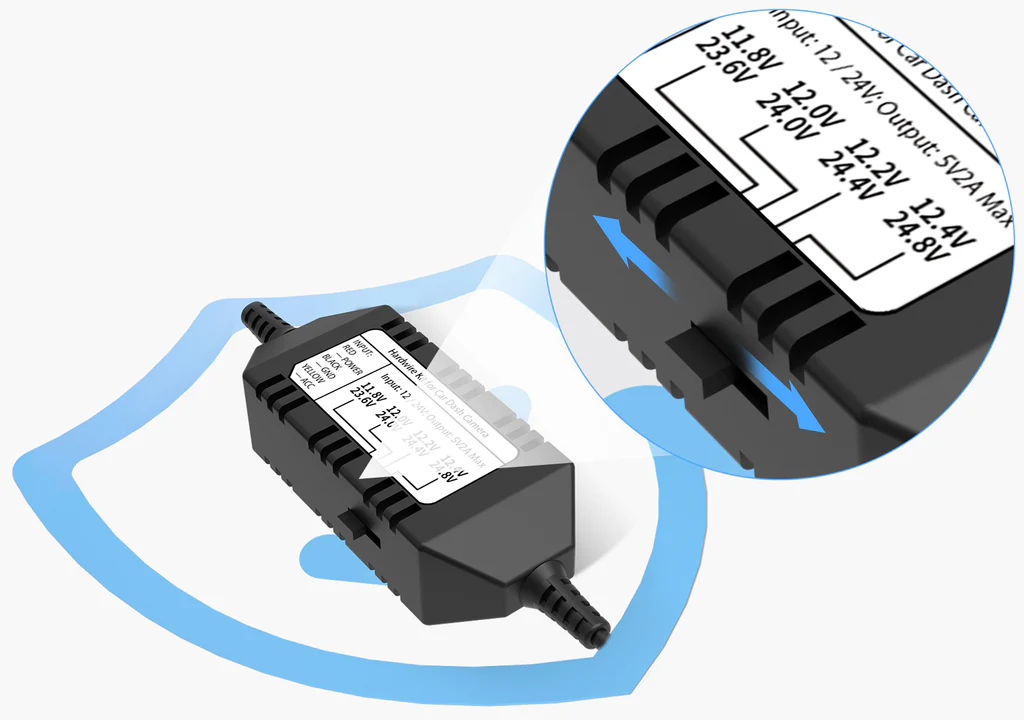
The HK3 Hardwire Cable provides continuous power to your dashcam in parking mode until your car battery voltage drops to the configured threshold.
VIOFO HK3 Hardwire Cable offers 4 voltage cut-off options. When the vehicle’s battery voltage drops to the selected threshold, the HK3 stops supplying power to the dashcam, helping prevent battery discharge.
The HK3 Hardwire Cable connects the camera directly to cars, trucks, buses, SUVs, or big rigs for continuous power. It accepts voltage from any vehicle running on 12–24V.
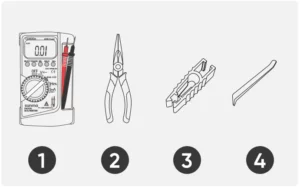
1. Multi meter
2. Needle-nose pliers
3. Fuse puller
4. Trim removal tool

Fuse box locations and types can differ between car models, years, and variants. Refer to the car manual for specific instructions.
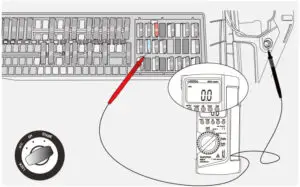
To check fuse locations, use a multi meter on DC voltage after turning off the vehicle. 12V or 24V indicates Battery location, while 0V indicates ACC location.

With the ignition turned on, use the multi meter to test the Battery and ACC fuse positions identified in Step 2. Both should show a voltage of approximately 12V or 24V. If not, repeat Step 2.

Use a fuse puller to remove the fuses from the previously identified Battery and ACC positions.

Check the type of the removed fuses and confirm the correct fuse model. Then insert each fuse into the corresponding fuse tap.
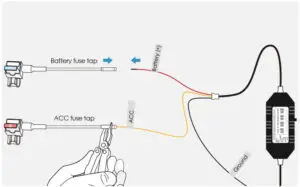
Insert the metal strands of the hardwire cable into the metal tube of the fuse tap, then use needle-nose pliers to crimp the metal tube tightly.

Insert the fuse tap back into the fuse box and secure it properly to ensure a stable connection.

Select a metal screw near the fuse box, loosen the screw, insert the Ground wire’s metal terminal under the screw, and then tighten the screw securely.

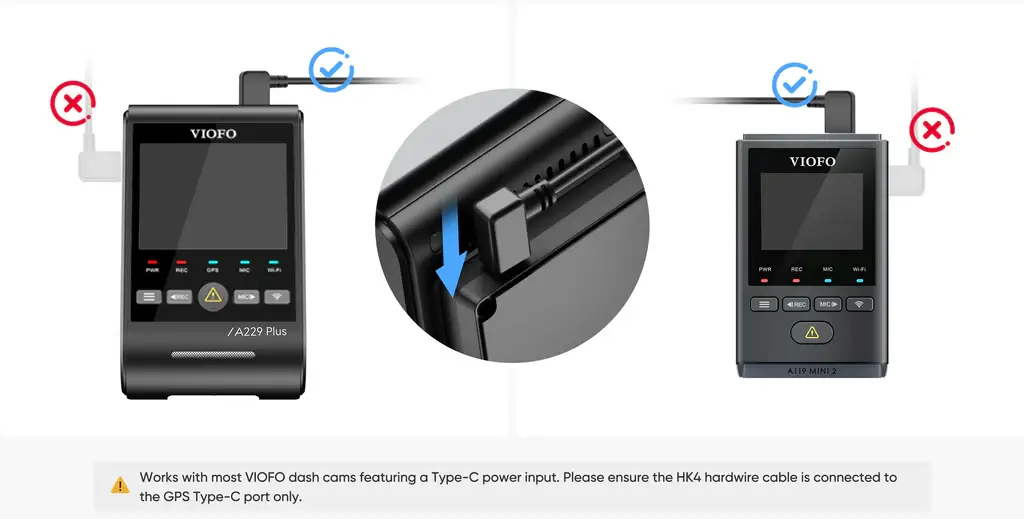
Connect the hardwire cable’s Type-C plug into the power port on the top of the dashcam’s GPS mount.
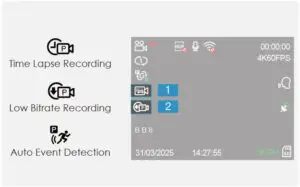
Start the vehicle to power on the dashcam. Enter the dashcam settings menu and enable Parking Mode. The parking mode icon will appear at the position on the left side of the screen.

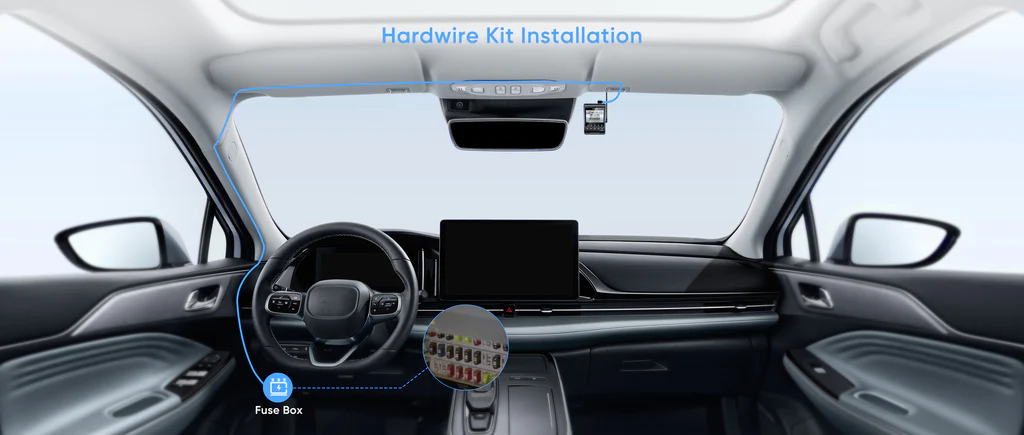
Finally, follow the recommended wiring shown in the diagram below and use the trim removal tool to hide the hardwire cable.
You must be logged in to post a review.


Anonymous –
Maybe suggest here to also buy the fuse taps.
Donovan Scorgie –
I haven’t used it yet, but looks easy enough.
Kneal R. –
Very easy to install.
Kobus Bosch –
A must have for parking mode
Grobie De Bruin –
Grobie De Bruin –
Grobie De Bruin –
Jevon Gullemann –
Perfect for it’s application
Jevon Gullemann –
Perfectly suited to Viofo. Top Quality.
Thabit Barends –
Thabit Barends –
Thabit Barends –
Anonymous –
Happy with my purchase
Ashley M. –
Ashley M. –
Christopher Stones –
Excellent
Bruce –
Have not had time to install this cabling yet. But looks simple enough and all the bits you need are there.
Chris Tromp –
Chris Tromp –
Anonymous –
Anonymous –
Nigel Szudrawski –
product looks good getting fitted this weekend.
Robby Richardson –
Robby Richardson –
Jaenne-Pierre Barwise –
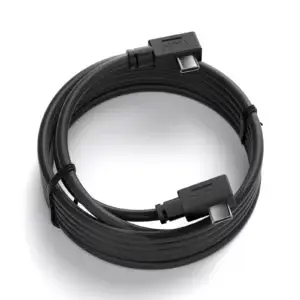
Was easy to install and the cable is long enough. I actually had more cable than needed, but was able to tuck it away nicely.
Yishan –
Great service
Nigel Hamilton –
Used by recommended installer
DARREN –
Good length
Marlin Petersen –
Marlin Petersen –
Noorud-Deen Vraagom –